Free Online CV Generator
A good CV is not about a pretty template, it is about fitting one specific job ad. The rezme CV generator collects your details once and then tailors your CV to each role. You download the finished document as PDF or Word.
Get started freeHow rezme differs from a typical CV maker
A typical CV maker hands you an empty template and leaves all the writing to you. For every new application you copy the file and edit it by hand. rezme works the other way round: you build a profile first (contact details, experience, education, projects, skills, languages), and the CV is generated from it for a specific role.
That way one filled-in profile covers many applications, and each CV highlights different parts of the same background.
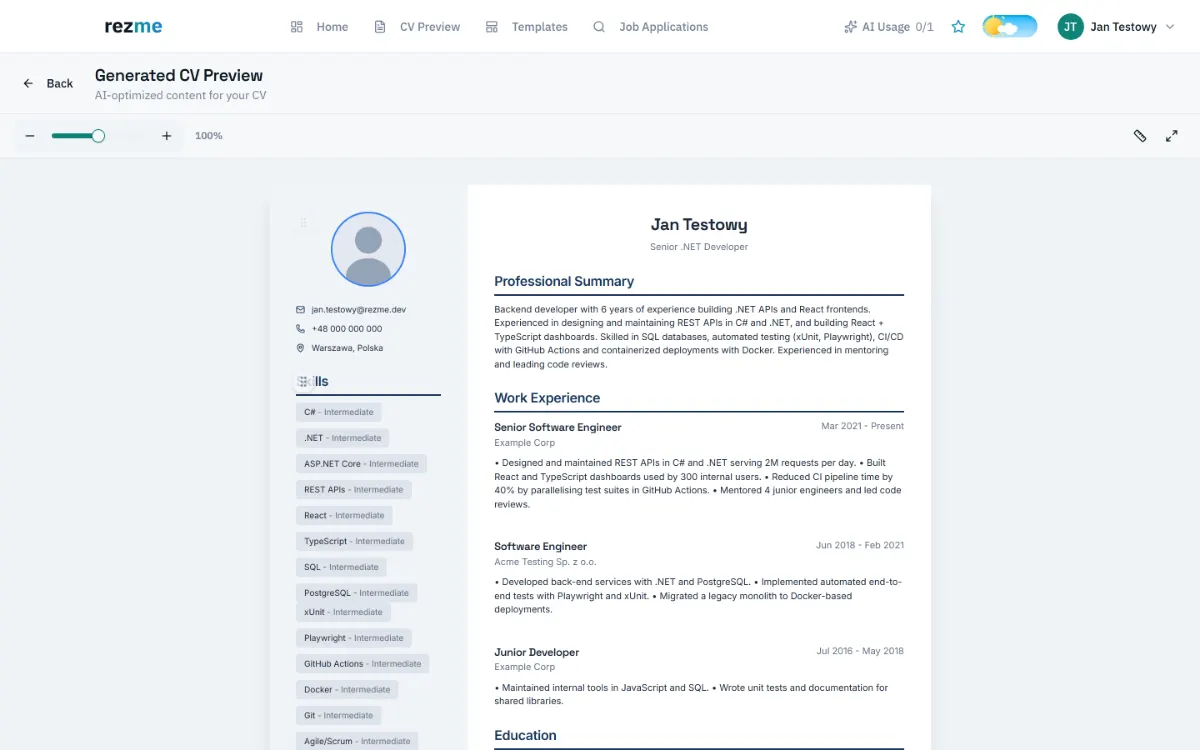
How to make a CV in rezme, step by step
The whole process is a few simple steps:
- Create an account and fill in your profile. You can type your details in or upload an existing CV as PDF or DOCX.
- Paste the text of the job ad you are applying to.
- rezme compares the requirements with your profile and arranges a CV that puts the matching experience and skills first.
- Review the result in the preview: edit the text, reorder sections and pick a template.
- Download the CV as PDF or Word.
Is the CV generator free?
Yes, you can start for free. The free plan includes 1 CV generation per month and needs no card. If you apply more often there are paid plans; current terms are on the pricing page. New subscribers can also start a 14-day Pro trial (a card is required and you can cancel before it ends).
A CV that works for recruiters and ATS software
Many companies pre-screen applications in applicant tracking systems (ATS). These systems cope best with a simple layout and plain text, so rezme templates favour readability over decoration. That helps the CV get read, but it does not guarantee an interview, because content and fit with the job ad decide that.
What a good CV should contain
Whatever tool you use, check that your CV includes:
- contact details and your city, without unnecessary personal data,
- a short summary: what role you want and what you can offer,
- experience or projects described by what you did and what resulted,
- education, courses and certifications relevant to the role,
- the skills and languages the job ad asks for,
- length: usually one page, two at most.
Start with the guide that fits you
Is this your first CV? Read the guide to a CV with no experience. Applying in tech? See the software developer CV guide. Moving into a new field? Try the career change guide. Prefer to write it yourself? Read how to make a CV ATS-friendly. You will find the links below. The details you enter are the basis of the generated CV, and rezme is not meant to add jobs or skills you do not have.
Frequently asked questions
You can start for free. The free plan includes 1 CV generation per month and needs no card. New subscribers can also start a 14-day Pro trial; a card is required and you can cancel before the trial ends. See the pricing page for details.
PDF or Word. Before downloading you can edit the text in the preview, reorder sections and choose a template.
No. You fill in your profile once. For later jobs you paste only the job ad, and the CV is generated from your saved details.
Yes. You can upload a CV as PDF or DOCX and rezme extracts the details into your profile. Review and correct them before relying on them.
It should not. The tool works from the information you provide and is meant only to select and arrange it. Always read the finished CV before sending it, because you are responsible for its content.
Make your CV online
Create a free account, fill in your profile once and generate a CV tailored to the job ad.
Get started free